Ngumpul Keluarga Aja
July 9, 2019
I’ve heard some nice to say words from friends, this is one of them
Family is #1
Brotherhood is #2
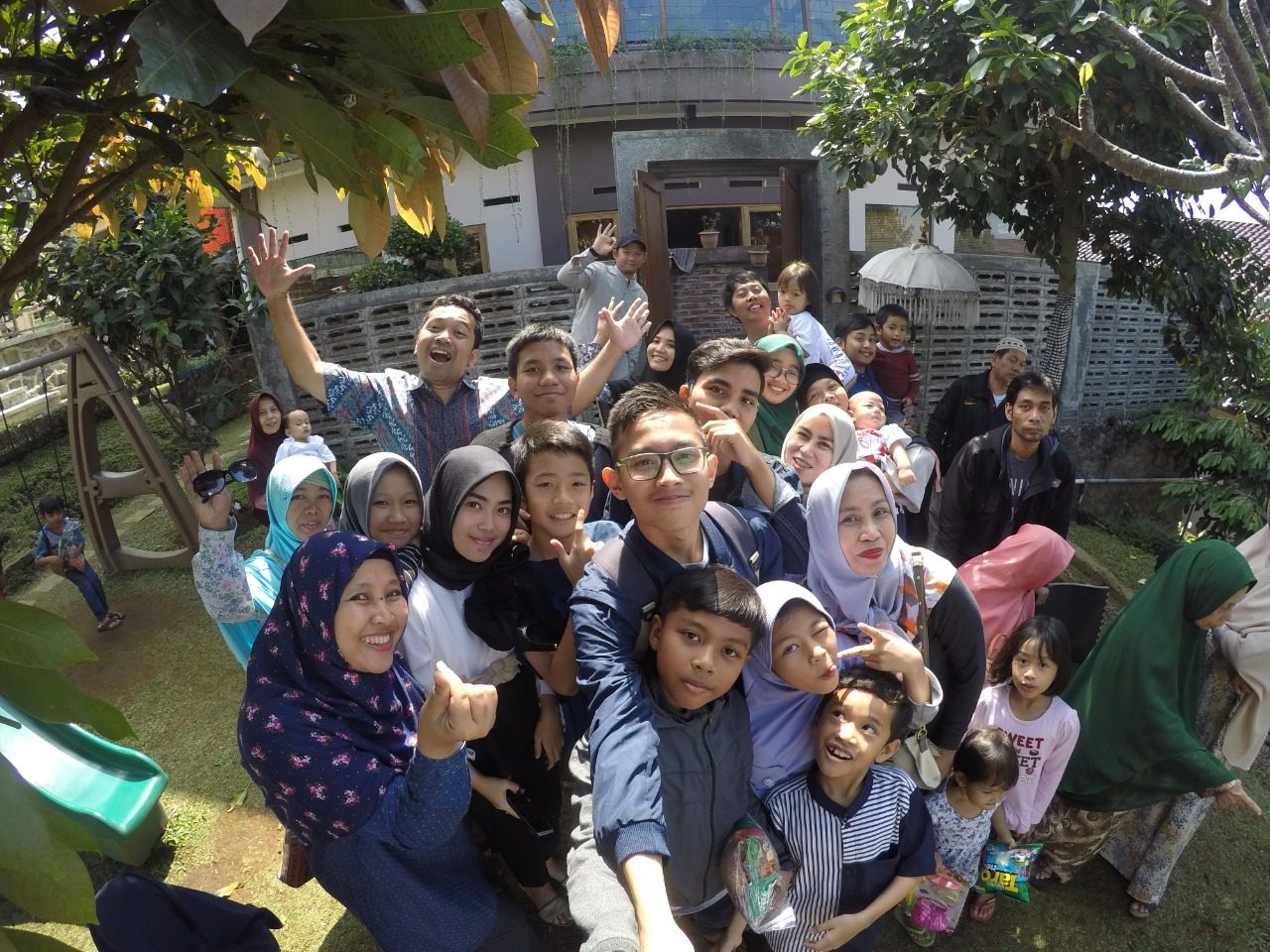
Yay … My big fam was planning enjoy one night weekend at Bandung since this pretty long free school holiday.
Actually I’ve been long time no visit to Bandung.
It took about 5 hours from Jakarta, traffic goes crazy there around Bekasi – Karawang highway.
Programnya saben sebulan sekali ngumpul di rumah secara giliran. Supaya tak bosan, sesekali ngumpul di luar kota.
Karena keluarga adalah nomer siji.
Mengenal SimpliVity
October 27, 2018
SimpliVity adalah produk hyper-converged yang diuncurkan 2009 lalu, kini sudah semakin banyak digunakan di Indonesia. Dengan potensi yang sedemikian rupa sampai-sampai ada perusahaan yang melakukan akuisisi terhadap SimpliVity, Hewlett-Packard Enterprise.
Dilihat dari spesifikasinya, SimpliVity efektif untuk deployment VM (virtual machine) dengan kebutuhan space/disk usage yang tidak terlalu besar dan tidak semakin bertambah signifikan. Maka sangat tidak tepat bila melakukan deployment VM dengan karakteristik space hog semacam Data Warehouse meskipun ada banyak Node dalam satu Federation yang sama dan atau dengan mengandalkan keunggulan Data Compressed & Data Deduped SimpliVity.
Sehingga bila hal ini diabaikan saat awal deployment, maka akan sering terjadi masalah low space available. House keeping yang dilakukan seorang Admin bisa jadi tidak dapat menyelesaikan masalah.
Berikut beberapa solusi saat ada masalah SimpliVity node low space available,
1. Delete backup data dalam SimpliVity sesuai kebutuhan
2. Melakukan Manual Rebalancing
3. Melakukan penghapusan data yang tidak diperlukan dalam VM guest kemudan lakukan reclaim space
Manual Rebalancing dan Reclaim Space akan kita lanjutkan di tulisan berikutnya.
Tabik.
Mana ekspresinya, Cinta?
September 21, 2018
Apakabar, Cinta 🙂
Iya, berdua ini puteri kecil yang memberikan suasana cerah ceria penghilang penat sesampainya bergelut dari jalanan. Selalu ada yang menggemaskan dari gerak gerik mereka.
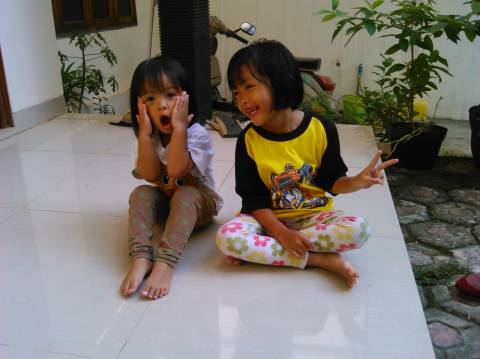
Meski kategori di bawah lima tahun, mereka kompak mengekspresikan hampir setiap sikap dan kemauan dengan drama. Ya, entah dengan drama berdua atau sendiri.
Karena progresifnya perkembangan mereka, sebagai orang tua harus ekstra dalam kebiasaan sehari-hari. Ucapan dan tindakan saya dan mamaknya kerap disalin, ditiru dan dijadikan acuan duo kecil ini.
Frase dan diksi semacam “Kenapa?”, “Iya, aku tahu”, “Bapak. Lihat dulu”, “Apa nih?” sambil tunjuk sana tunjuk sini, sangat sering diucapkan berulang meski sudah diberi jawaban atau penjelasan yang sama.
Kerap kali imajinasi anak belum tentu bisa diikutin oleh orang dewasa meski semua orang dewasa tentunya pernah berada pada fase sebagai anak-anak dan bisa jadi kita sudah lupa.
Bagaimanapun, anak memang memiliki hak luar biasa istimewa yang sudah semestinya difasilitasi oleh orang tua dengan pengarahan. Seperti yang dijelaskan oleh Ibnu Khaldun, “Barangsiapa tidak terdidik oleh orang tuanya, maka akan terdidik oleh zaman”
Maka, pendidikan dan pengajaran adalah kunci, atau lebih cocoknya adalah cangkul dan sabit 🙂
Tabik.
Jakarta, 21 September 2018
Ignition Timing Pengapian Vespa PX150 ’79
March 9, 2018
Sebulan yang lalu, Vespa PX150 ’79 saya mengalami masalah. Symptom yang ada adalah mesin susah dihidupkan, busi selalu basah, knalpot dan lubang venturi nembak bersamaan namun kabel koil masih ada percikan api. Ini gejala umum yang terjadi pada Vespa, baik yang menggunakan system ignition (pengapian) platina atau yang sudah CDI.
Karena penasaran, saya coba pengecekan dasar. Beberapa lama pengecekan, ternyata kondisi drat busi pada silinder head sudah rusak (dol). Memang dulu, lubang busi tersebut pernah dibetulkan dengan tambal bubut. Berdasarkan literatur komunitas Vespa, lubang busi yang pernah dibetulkan dengan tambal bubut akan kembali bermasalah (dol lagi), hanya menunggu waktu, dan akhirnya memang terbukti di Vespa ini.
Beberapa lama mencoba cari bengkel Vespa sekitar rumah, akhirnya nemu sekitar jarak 4km dari rumah. Terpaksalah harus nyetut Vespa ini dengan kawan ke bengkel.
Tak lama ngobrol ngalor ngidul, Vespa saya harus nginap karena part silinder head kosong, jadi harus nunggu (meski part copotan) dari rekanan si empunya bengkel.
Sehari nginep, dapat kabar via WA Vespa sudah sehat. Pengecekan sana sini, saya tanya status karburator hingga magnet & platina. Si empu bengkel bilang semua masih okey.
Setelah lirik dan beli beberapa aksesoris dan bayar semua biaya, ngacir juga akhirnya Vespa sampai rumah.
Kira-kira hampir seminggu Vespa sehat, somehow suatu pagi macet lagi dengan symptom serupa, tapi silinder head normal tidak cacat. What’s wrong here?
Vespa nembak sangat tidak enak, membuat anak-anak dirumah takut hehehe….
Saya review kembali literatur komunitas Vespa untuk symptom tersebut. Secara garis besar bisa disimpulkan problem berada di timing pengapian / ignition timing. Koil dan busi mengeluarkan percikan api biru dan besar belum tentu ignition timing normal.
Dari literatur dan knowledge sharing oleh Pak Hasan Babeh yang seorang scooterist, adventurist, mekanik kawakan sekaligus engineer berpengalaman bahwa,
ignition timing paling tepat adalah saat piston posisi TMA namun stang piston sudah sekian derajat bergeser akan turun. Pengapian sebelum TMA atau saat TMA sangat tidak efisien.
Pengapian sebelum TMA ibarat ejakulasi dini, kompresi tidak optimum. Ledakan oleh busi terjadi saat piston masih perjalanan menuju TMA. Artinya ada daya dorong ledakan menghambat piston naik ke TMA sehingga seolah keadaan seperti ngerem, atau ng’brake atau nahan piston naik. Akibatnya pembakaran tidak sempurna, daya berkurang dan bisa jadi boros atau worst case Vespa berjalan mundur.
Pengapian saat TMA yaitu ledakan terjadi saat kruk as + stang piston + piston berada pada posisi sejajar (180 derajat). Ignition timing ini berdampak pukulan pada kruk as sehingga bisa membuat piston rusak, stang piston bengkok, kruk as cacat atau mesin retak.
Pengapian saat piston posisi TMA namun stang piston sudah sekian derajat bergeser akan turun adalah yang paling efisien dan optimum. Ledakan saat piston TMA dan stang piston sudah akan turun, piston turun mengayun dengan perfect.
Perlu diingat, saat posisi piston di TMA, stang piston masih bisa bergerak sekian derajat tanpa membuat piston bergerak meninggalkan posisi TMA. Posisi stang piston ini lah yang dicari sebagai ignition timing paling efisien dan optimum. Engineer maupun mekanik profesional biasanya menggunakan busur derajat untuk mendapatkan setting ignition timing yang tepat ini.
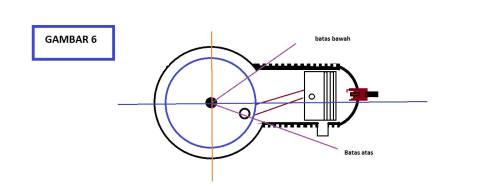
Untuk kasus Vespa saya, perlu membuka flywheel (kipas magnet) dulu hingga bisa investigasi lebih lanjut. Semakin penasaran, ya sudah saya niatin DIY, saya koret-koret duit seadanya buat beli tools kunci sok dan treker/tracker/traker/puller.
Dengan menunggu sekian hari mengumpulkan tools akhirnya bisa membuka flywheel sendiri. Setelah menggeser posisi sesuai gambar, Vespa sehat sentosa.
Memang seharusnya pakai busur derajat dan piston stopper tools untuk keperluan setting ignition timing yang lebih akurat.
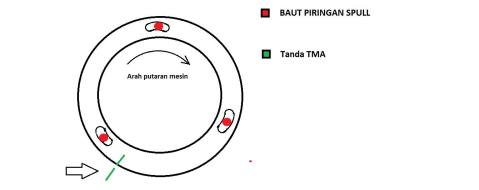
Salam mesin kanan.
p.s: gambar ilustrasi saya sertakan dari akun fb Pak Hasan Babeh
GCompris Lubuntu Dell Inspiron 910
September 10, 2017
Bringing back old laptop with fresh look and feel is awesome.
This Dell Inspiron 910 was belong to my kids’s aunt. She said, this 910 was 5 years buried in her electronic garbage box.
She took 910 and made it clean for my daughter, Kanaya, as a gift. Well somehow, kids very happy to play alphabet on keyboard.
I was checking this 910, its SSD 16GB chip is broken and battery is fail.
Instead of replace with new SSD chip, I remove this part and plug tiny 4GB USB drive stick as its default storage.
The question is, which OS that lightweght, friendly, and efficient with this 910 condition.
After doing little research, Lubuntu is the most suitable.
No special recipe to bringing up 910 with Lubuntu. I use rufus to make Lubuntu ISO bootable to USB drive and later install the Lubuntu from this USB drive to 4GB USB drive. But there is wireless function issue.
Thanks to linuxmintforum , this is a magic trick to fix the issue, I call it unfair awesomeness hahahaha 🙂
Everything works perfect and I put GCompris for my kids.
I think GCompris is good educational games for small children.
Running Funtoo under VMware
April 14, 2017
So what’s the plan? Nice to start install Funtoo with epro minimal under VMware.
I have no plans yet to explore it more, but somehow it’s gonna be fun. Yeah old school, maybe I need back to basic to start learn lsof and sort of it.
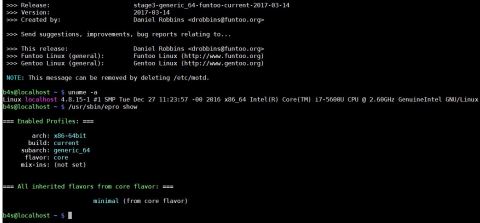
Any suggestion or idea?
 wolakwalik.wordpress.com

